

Close Menu
  • Coins
    • Bitcoin
    • Ethereum
    • Altcoins
    • NFT
  • Blockchain
  • DeFi
  • Metaverse
  • Regulation
  • Other
    • Exchanges
    • ICO
    • GameFi
    • Mining
    • Legal
  • MarketCap
What's Hot

ETH Gains Strength on Breakout Setup

24/04/2026

Backpack moves IPO allocations onchain through new Superstate integration

24/04/2026

Ethereum Gained 16.48% in Last Month and is Predicted to Reach $ 2,661.42 By Apr 27, 2026

24/04/2026
Facebook X (Twitter) Instagram
  • Back to NBTC homepage
  • Privacy Policy
  • Contact
X (Twitter) Telegram Facebook LinkedIn RSS
NBTC News
  • Coins
    1. Bitcoin
    2. Ethereum
    3. Altcoins
    4. NFT
    5. View All

    Price Breaks All-Time High Record Again – Here’s What We Know

    04/08/2025

    Bitcoin Switzerland? El Salvador to Host First Fully Native Bitcoin Capital Markets

    04/08/2025

    Bitcoin Breaks $119K, but XLM and HBAR Aren’t Impressed by Its Meager Percentage Gain

    04/08/2025

    High-Stakes Consolidation Could Define Q3 Trend

    04/08/2025

    ETH Gains Strength on Breakout Setup

    24/04/2026

    Ethereum Gained 16.48% in Last Month and is Predicted to Reach $ 2,661.42 By Apr 27, 2026

    24/04/2026

    Can Ethereum hit $2,746 as whales accumulate 700K tokens this week?

    23/04/2026

    Discover What Happens When US Whales Are Long

    23/04/2026

    The Sui Ecosystem’s Top 3 Altcoin Performers

    29/07/2025

    Floki Launches $69000 Guerrilla Marketing Challenge With FlokiUltras3

    28/07/2025

    Crypto Beast denies role in Altcoin (ALT) crash rug pull, blames snipers

    28/07/2025

    $1.6 Billion XRP Surge: Here’s What’s Unfolding

    28/07/2025

    Bored Ape Yacht Club turns five today and nobody seems to care

    23/04/2026

    WWE Partners with Blockchain Creative Labs for Official NFT Marketplace – Epic Digital Collectibles Ahead

    20/04/2026

    Top 10 NFT Performers by Weekly Sales Volume, Courtyard Outshines

    19/04/2026

    Ethereum-Based NFT Platform Halts Operations

    16/04/2026

    ETH Gains Strength on Breakout Setup

    24/04/2026

    Backpack moves IPO allocations onchain through new Superstate integration

    24/04/2026

    Ethereum Gained 16.48% in Last Month and is Predicted to Reach $ 2,661.42 By Apr 27, 2026

    24/04/2026

    Hyperliquid and DEXs Storm the Top 10 — Is the CEX Era Fading?

    23/04/2026
  • Blockchain

    Singapore’s OCBC launches tokenized gold fund on Ethereum and Solana

    23/04/2026

    Quantum Threat Is Getting Closer

    23/04/2026

    W3.io teams with Space and Time to deliver end-to-end proof layer for AI-driven financial workflows

    23/04/2026

    0G Foundation and Alibaba Cloud Partner to Bring Qwen LLMs Onchain

    23/04/2026

    Sui Blockchain’s Strategic Integration with RedotPay Unlocks Global Payment Revolution

    23/04/2026
  • DeFi

    Curve Founder Asks “Are We an Industry of Clowns?” After $750M in DeFi Hacks

    23/04/2026

    Haseeb Qureshi Says DeFi ‘Learns Through Failure,’ Not Collapse

    23/04/2026

    Aave’s core markets hit 100% utilization at once, and that’s not a good thing

    23/04/2026

    DeFi plays the blame game

    23/04/2026

    Spark Price Jumps on DeFi Capital Rotation After $293M Kelp DAO Hack

    23/04/2026
  • Metaverse

    ‘8,000 Jobs’—Polymarket Sees Tech Layoff Surge As Meta AI Push Bites

    18/04/2026

    Planet Hares Partners With Magne.AI To Bridge Web3 Metaverse With Smartphone Mobile-Ready Applications For Mass Adoption

    08/04/2026

    Mark Zuckerberg’s Meta launches new AI initiative after metaverse retreat

    25/03/2026

    Meta partners with Arm to develop new CPUs for AI deployments

    24/03/2026

    Land values capitulate as $24M metaverse plot collapses to just $9,000

    20/03/2026
  • Regulation

    Powell’s comments on oil, inflation are likely to guide bitcoin traders

    12/04/2026

    Bitcoin quickly pulls back to $72,300 as Iran fears team up with poor U.S. inflation data

    11/04/2026

    US National Debt Surpasses $39 Trillion Amid Fiscal Concerns

    11/04/2026

    Bank of Korea adds two banks to digital won trials as real-world testing begins

    11/04/2026

    “PPI and the Fed!” When Will the Interest Rate Decision Be Announced? Here Are the Expectations

    11/04/2026
  • Other
    1. Exchanges
    2. ICO
    3. GameFi
    4. Mining
    5. Legal
    6. View All

    Backpack moves IPO allocations onchain through new Superstate integration

    24/04/2026

    Hyperliquid and DEXs Storm the Top 10 — Is the CEX Era Fading?

    23/04/2026

    DoorDash is bringing stablecoin payments to masses with Stripe-backed blockchain

    22/04/2026

    Coinbase Announces New Regarding Bitcoin (BTC) and Ethereum (ETH)!

    22/04/2026

    South Korea Poised to Lift Ban on Domestic ICOs After 7 Years

    19/12/2025

    Why 2025’s Token Boom Looks Both Familiar and Dangerous

    31/10/2025

    ICO for bitcoin yield farming chain Corn screams we’re so back

    22/01/2025

    Why 2025 Will See the Comeback of the ICO

    26/12/2024

    GameFi is effectively dead as 93% of projects collapse

    23/04/2026

    More than 90% of Web3 games failed after $15 billion boom as gamers never showed up: Caladan

    23/04/2026

    UXLINK Taps ANOME Protocol to Redefine Web3 Gaming, SocialFi, and NFTFi

    23/04/2026

    ‘Axie Infinity’ Gaming Network Ronin Sets Date for Ethereum Layer-2 Migration

    22/04/2026

    Trump-linked American Bitcoin shares spike over 12% after announcing more mining power

    23/04/2026

    IREN rides Bitcoin mining-era power infrastructure to lead AI data center race

    23/04/2026

    Uzbekistan creates state-backed crypto mining zone with tax breaks

    22/04/2026

    Uzbekistan launches tax-free crypto mining hub to attract foreign investment

    22/04/2026

    Court closes Custodia fight with Federal Reserve just as Fed opens master-account door

    23/04/2026

    Federal court ends Custodia Bank’s legal bid for a master account

    23/04/2026

    US court blocks Custodia rehearing while Kraken joins Fedwire

    23/04/2026

    Is the CLARITY Act a surveillance bill in disguise?

    22/04/2026

    ETH Gains Strength on Breakout Setup

    24/04/2026

    Backpack moves IPO allocations onchain through new Superstate integration

    24/04/2026

    Ethereum Gained 16.48% in Last Month and is Predicted to Reach $ 2,661.42 By Apr 27, 2026

    24/04/2026

    Hyperliquid and DEXs Storm the Top 10 — Is the CEX Era Fading?

    23/04/2026
  • MarketCap
NBTC News
Home»Bitcoin»How to Set Up a Bitcoin Node: A Guide for Beginners
Bitcoin

How to Set Up a Bitcoin Node: A Guide for Beginners

NBTCBy NBTC28/05/2024No Comments6 Mins Read
Share
Facebook Twitter LinkedIn Pinterest Email


The Bitcoin network and its community of users is sprawling and diverse. Fans of the top cryptocurrency can participate beyond mining or inscribing dog pictures or video games by setting up a Bitcoin node, which are essential infrastructure to keep the OG blockchain decentralized and running.

What is a Bitcoin Node?

While all Bitcoin miners are nodes, not all nodes are miners. A Bitcoin node validates transactions and can run on any computer with the capacity to store a copy of the full Bitcoin blockchain. Currently the Bitcoin ledger weighs in at about 500 GB. A miner, on the other hand, validates transactions but also competes to add new blocks to the Bitcoin blockchain in order to earn mining rewards.

In this article, we will look at how to set up a Bitcoin Node using a Windows 11 PC using the Bitcoin Core software and Umbrel.

Getting Started with Bitcoin Core

While you’ll need to download a full copy of the Bitcoin blockchain to get started, both Bitcoin Core and Umbrel allow pruning of the blockchain to a smaller size once the ledger is available locally. Even so, because of the size of the Bitcoin blockchain, an external or dedicated hard drive is recommended.

When you’re ready to start your Bitcoin Node, you will want to choose the best software for your needs. The classic Bitcoin Core software is an easy way to get started with little to no coding necessary.

While this article will focus on Windows, the Bitcoin Core software is also available on MacOS and Linux.

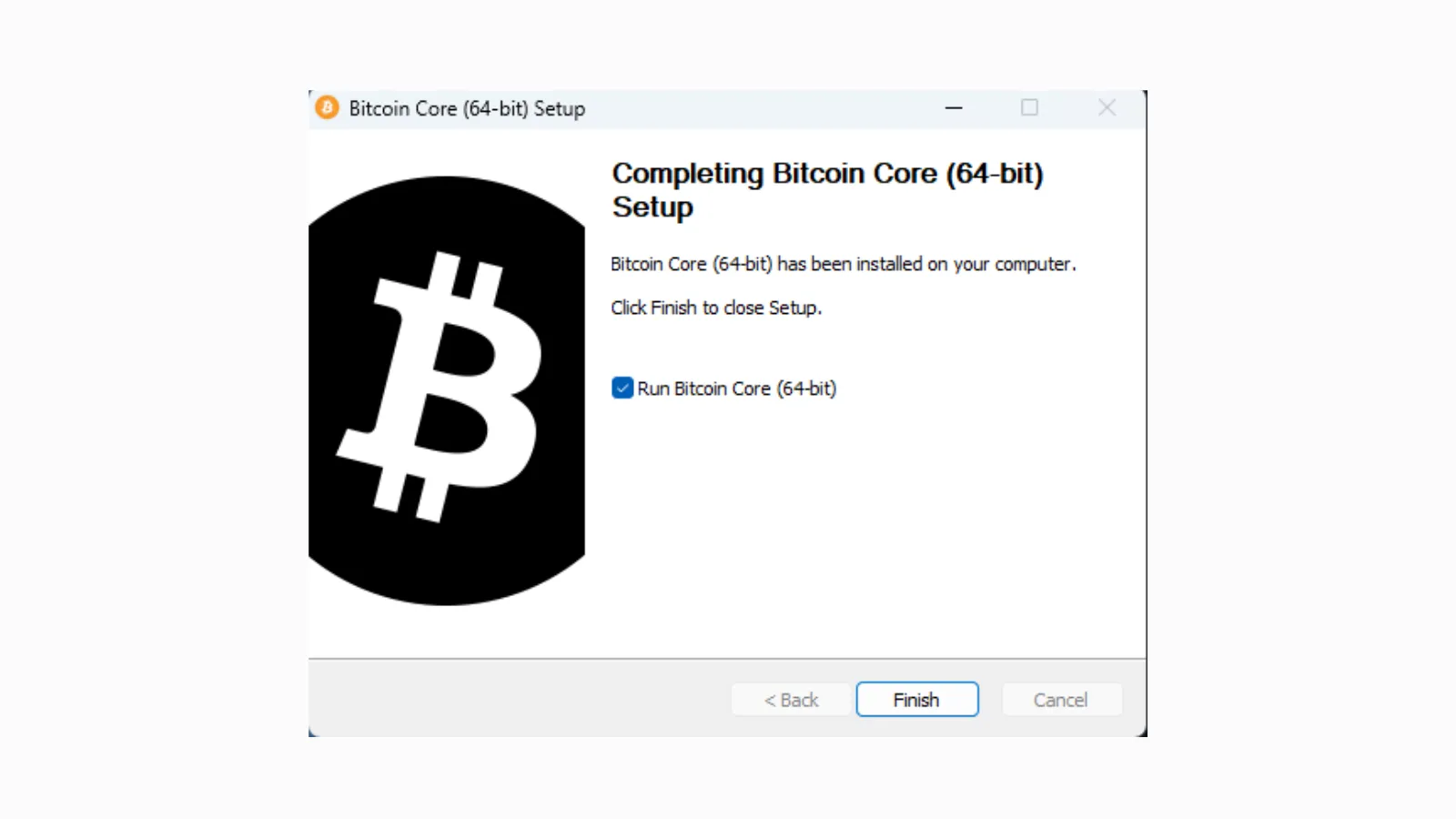
Download and run the Windows executable file.

Choose the destination for the Bitcoin file. Important note: be sure to point the installer to the drive you intend to store the Bitcoin installation files and data for the node.
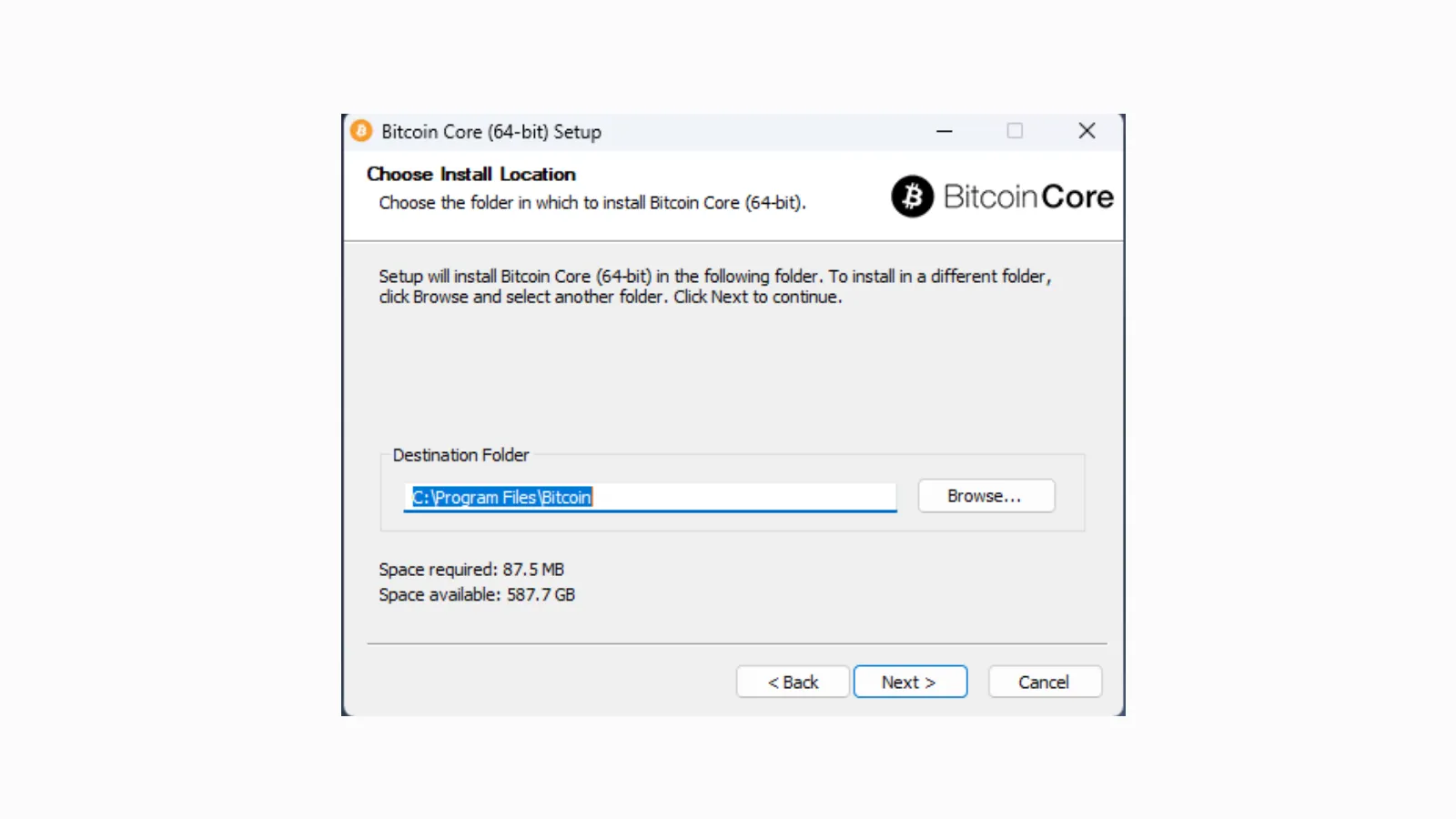
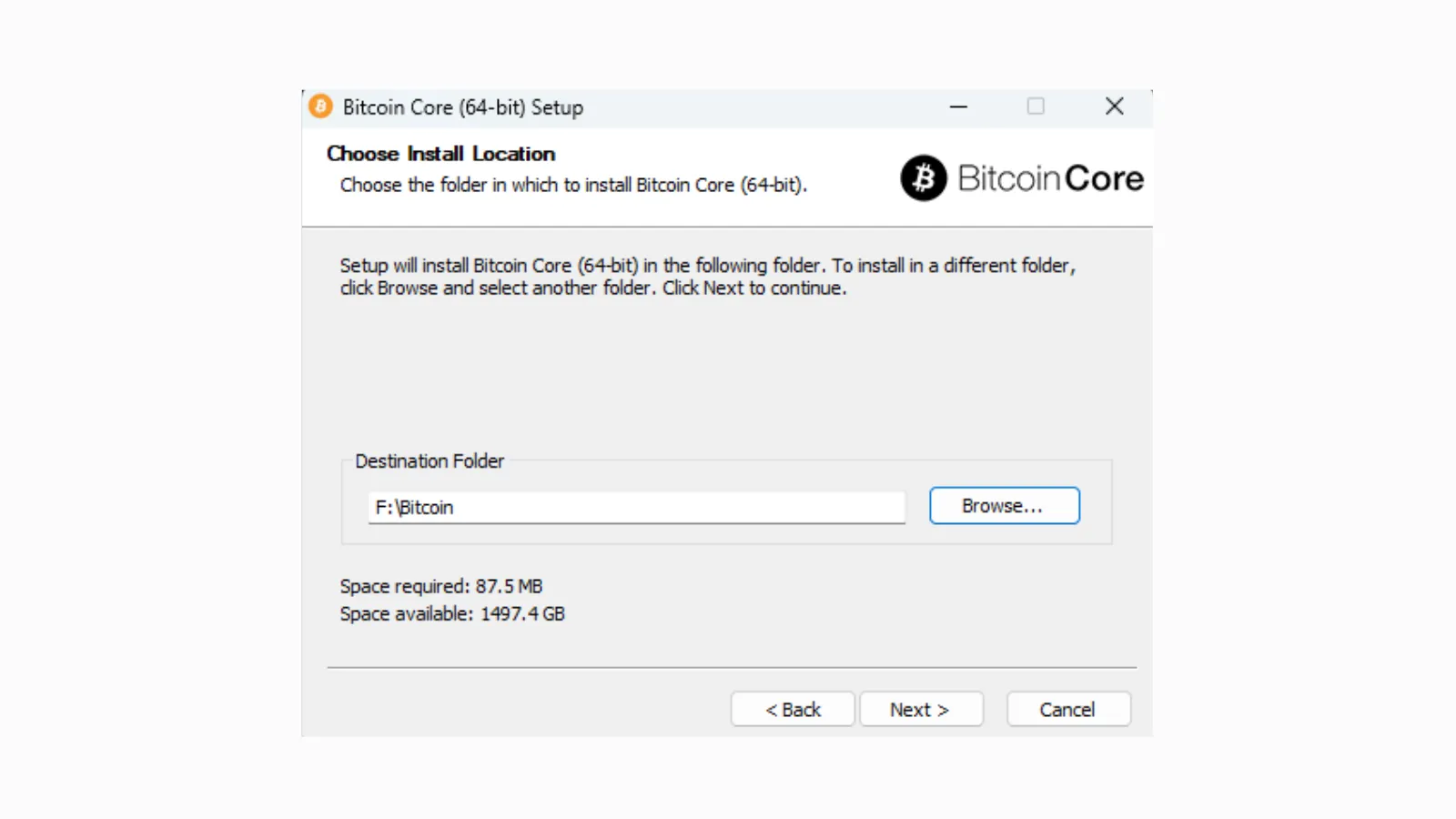
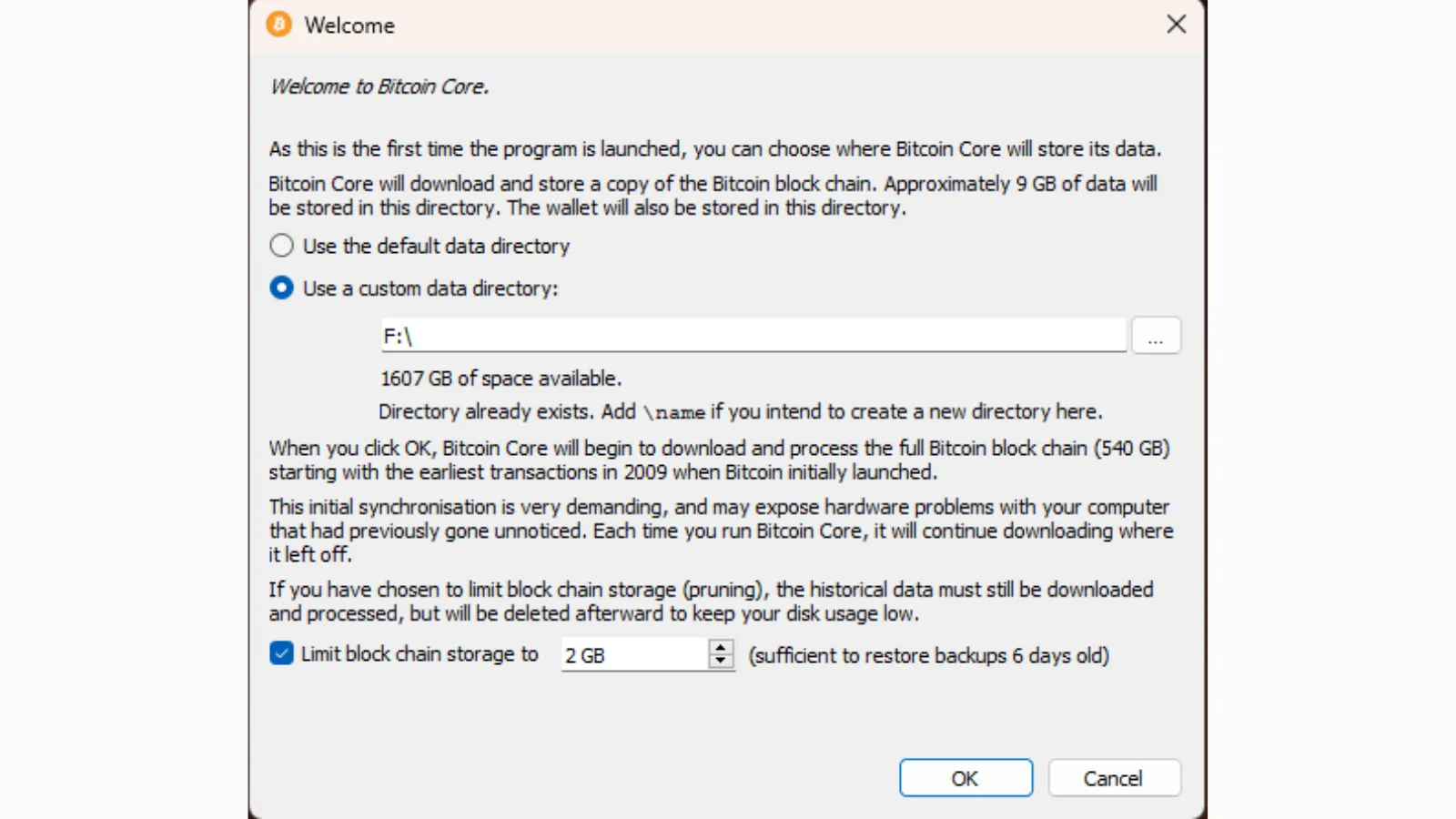
Like before, change the directory to point to the dedicated hard drive. This is important to make sure the Bitcoin blockchain data goes to the proper storage location with the larger storage capacity.
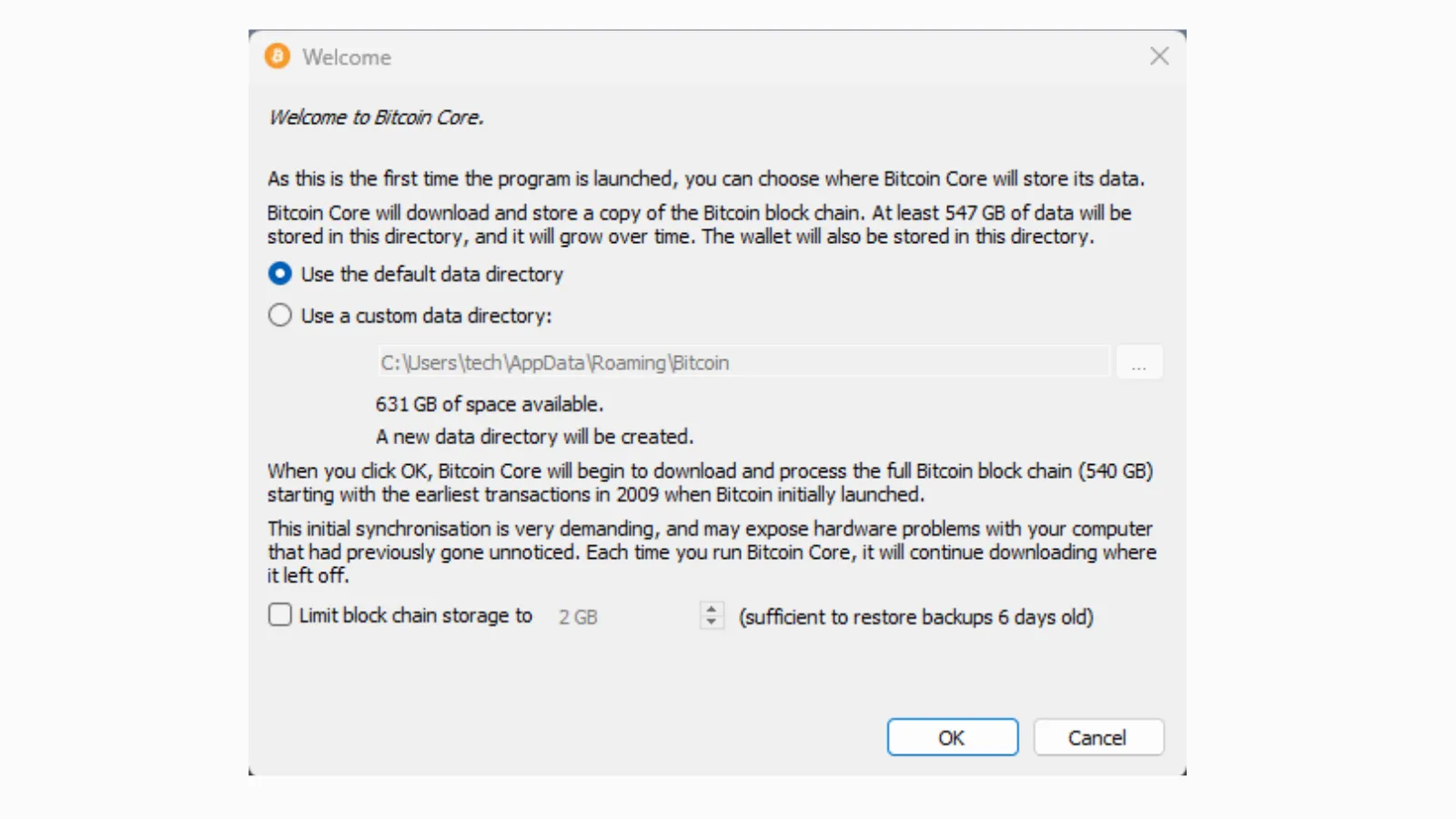
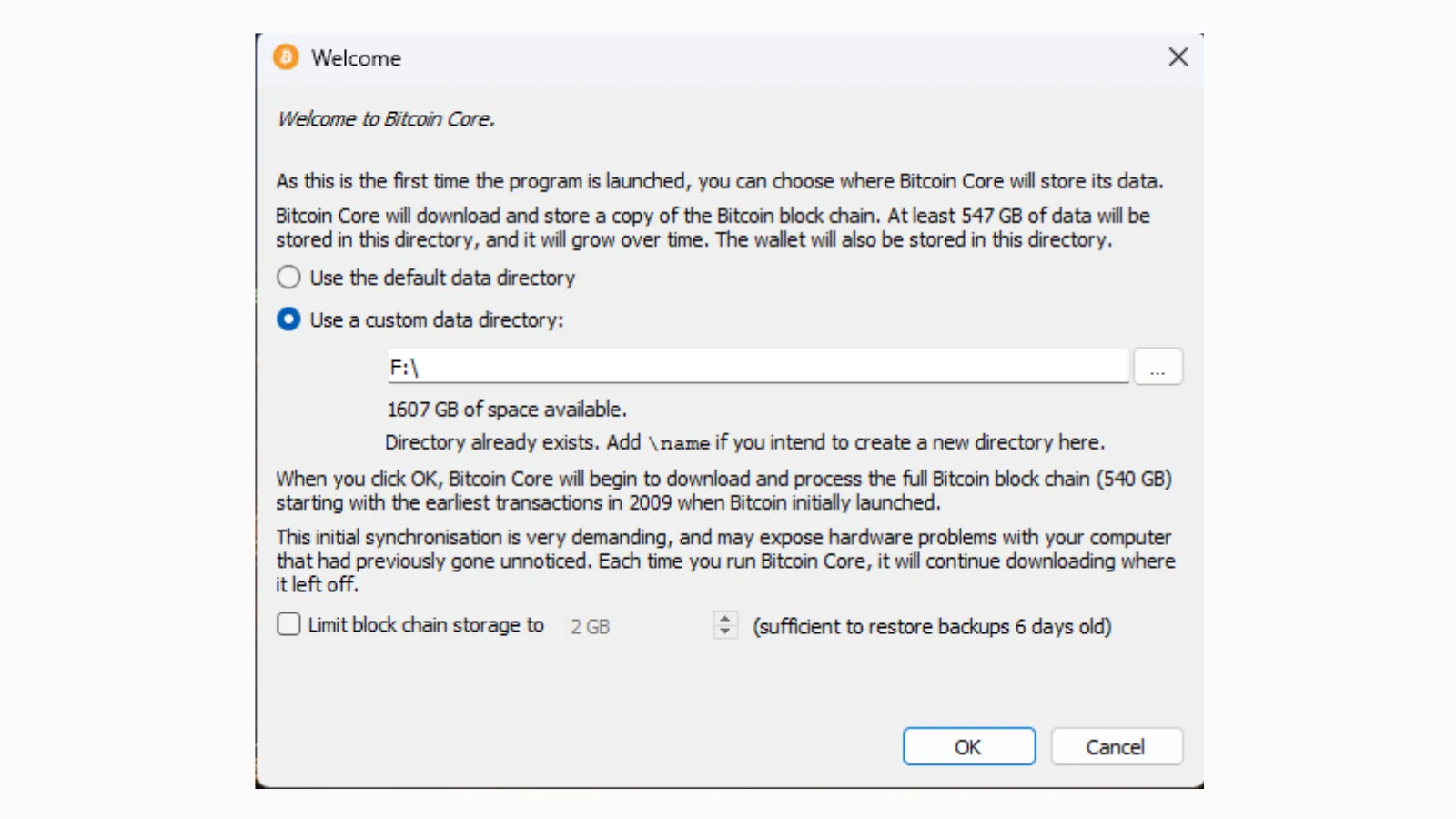
If you do intend to prune the amount of Bitcoin blockchain data stored on your hard drive, select “Limit blockchain storage to” and choose how much space to allocate. Click OK.
If you open the folder you selected to store the Bitcoin files, you should see them under the name Bitcoin.
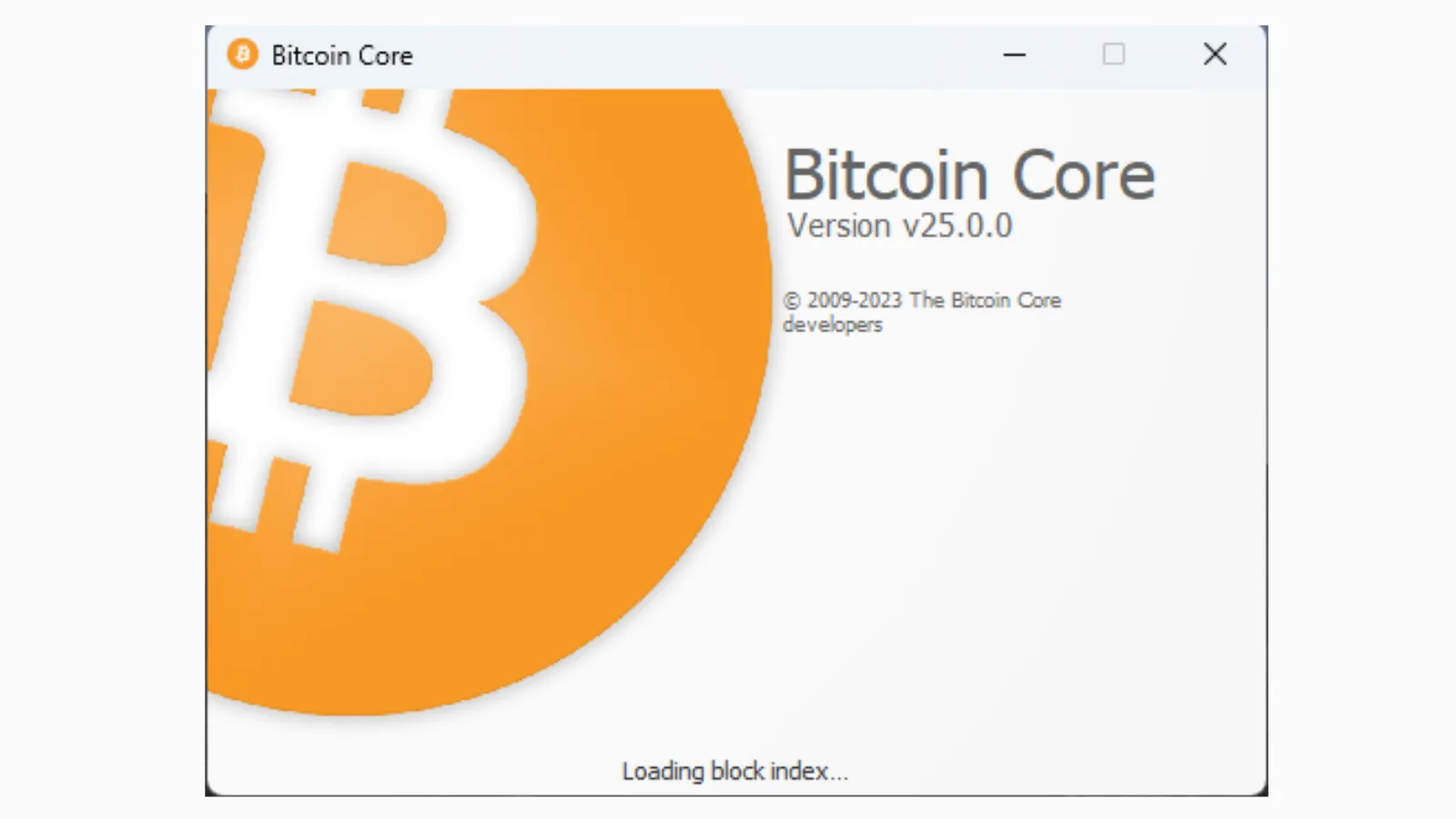
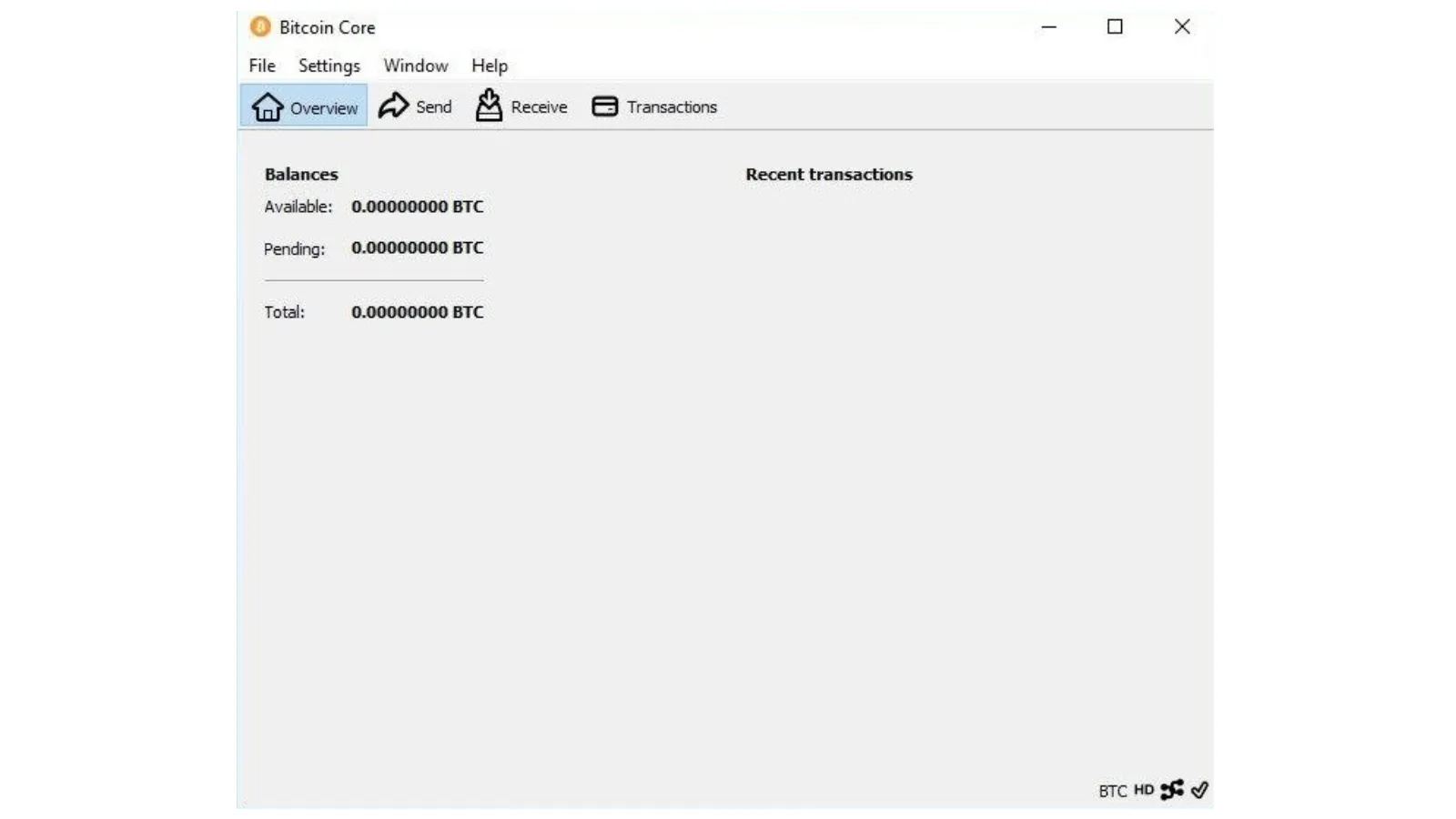
The Bitcoin Core software will begin to load the block data to begin validating transactions.
When the Bitcoin Core software initializes, it will begin synchronizing with the Bitcoin network, meaning it will validate every processed block since the launch of the Bitcoin blockchain in 2009. Depending on the speed of your computer and hard drive, this could take two days or more to complete. Patience is advised.
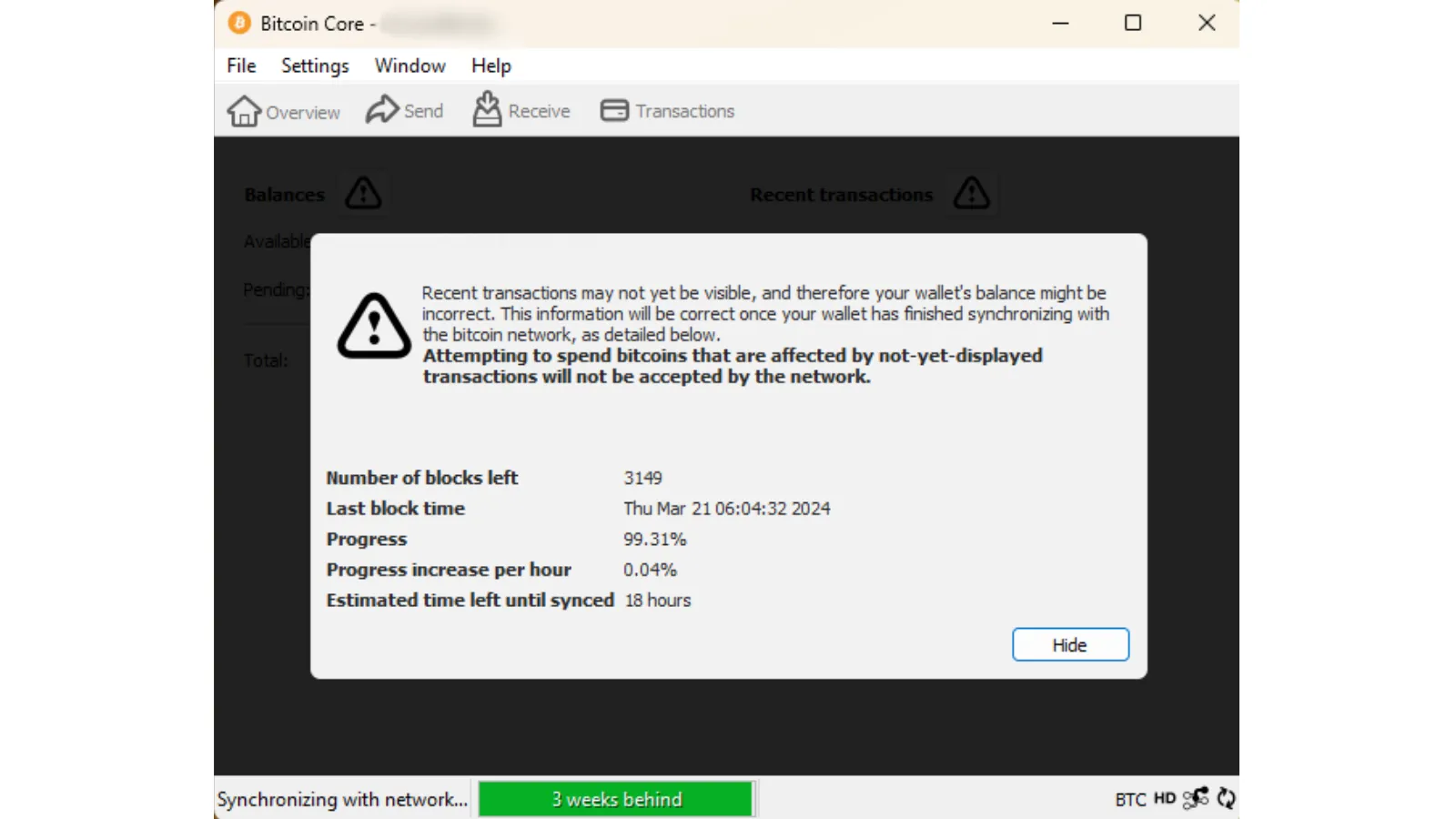
Once the Bitcoin blockchain has finished syncing, the node and included Bitcoin wallet will be ready for use.
Using Umbrel
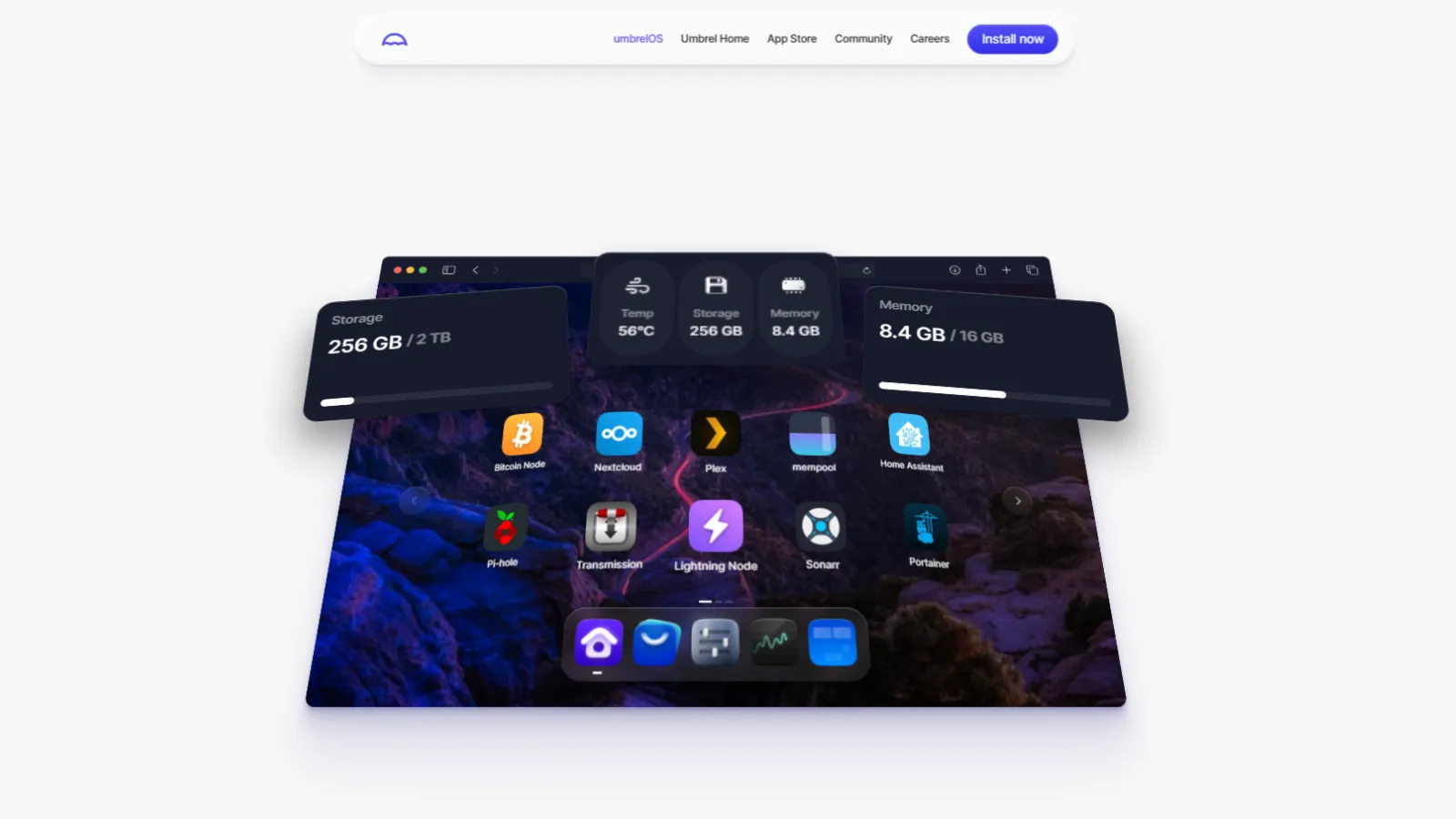
For people who prefer a more colorful Bitcoin experience, Umbrel is a great alternative.

Umbrel can installed on Windows, MacOS, a Virtual Machine, or the popular small single-board Raspberry Pi computer. Because we are installing our Bitcoin Node on a Windows 11 machine, there are a few things we will need to add first.
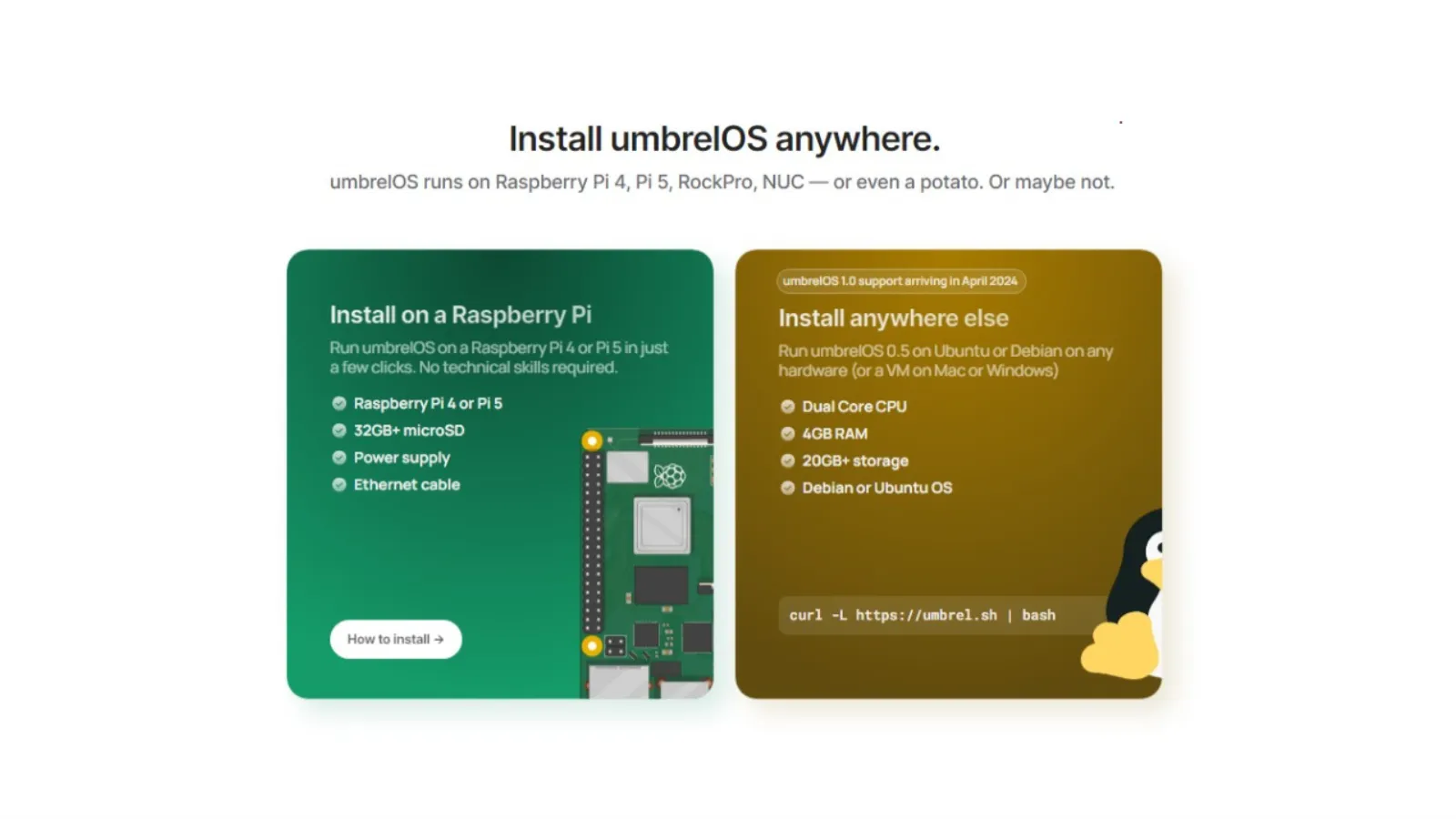
Because Umbrel runs on Ubuntu or Debian distributions, we’ll need to add Linux to our Windows computer using the Windows Subsystem for Linux.

Open the command prompt terminal using the CMD command to run instructions as a system administrator.
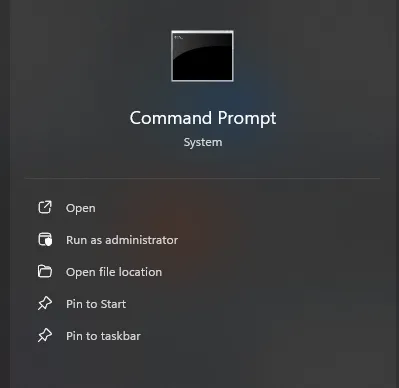
In the command line, type “wsl.exe –install” and press enter, which will begin installing a virtual machine platform, Windows Subsystem for Linux, and Ubuntu onto the PC.
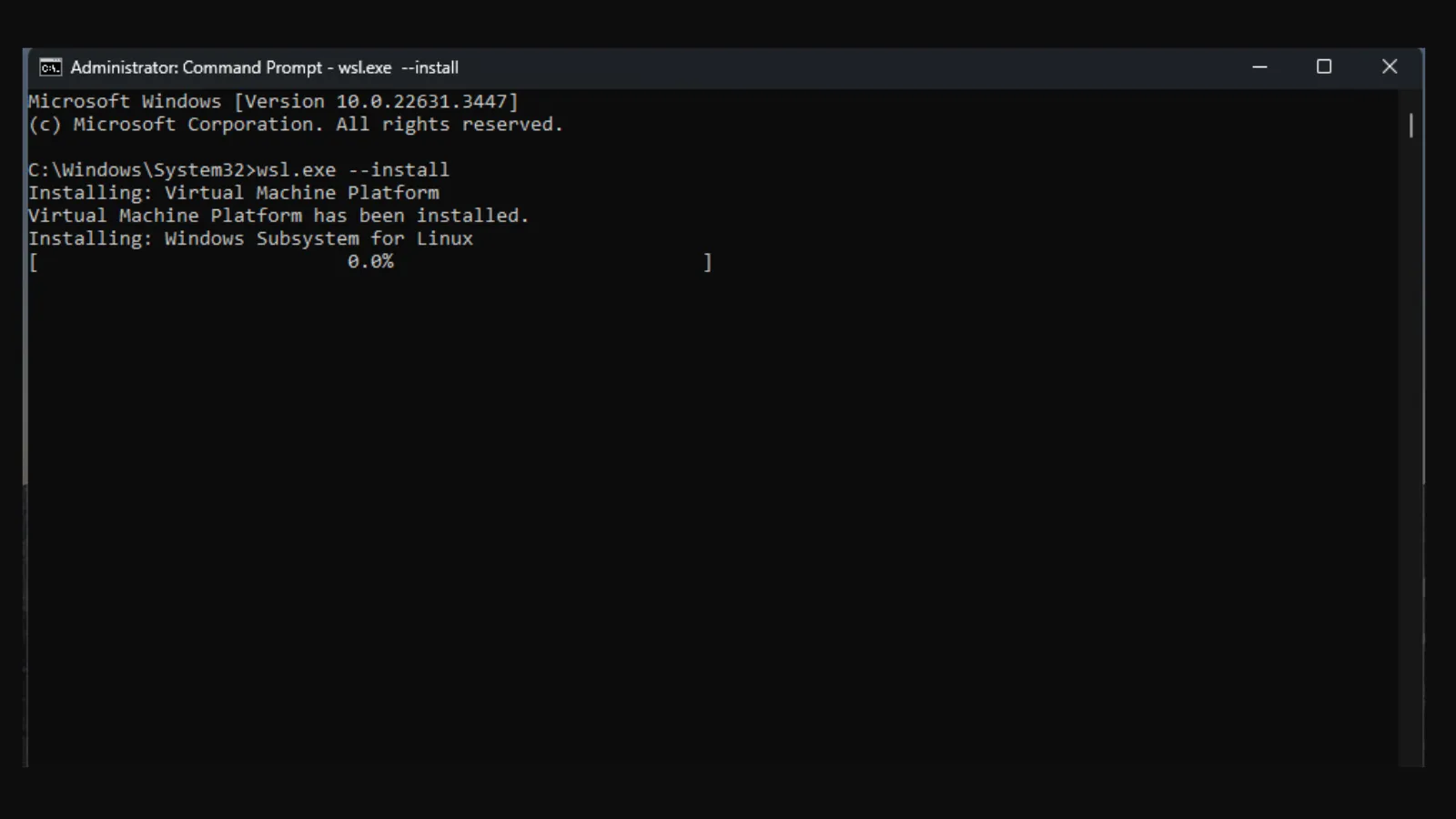
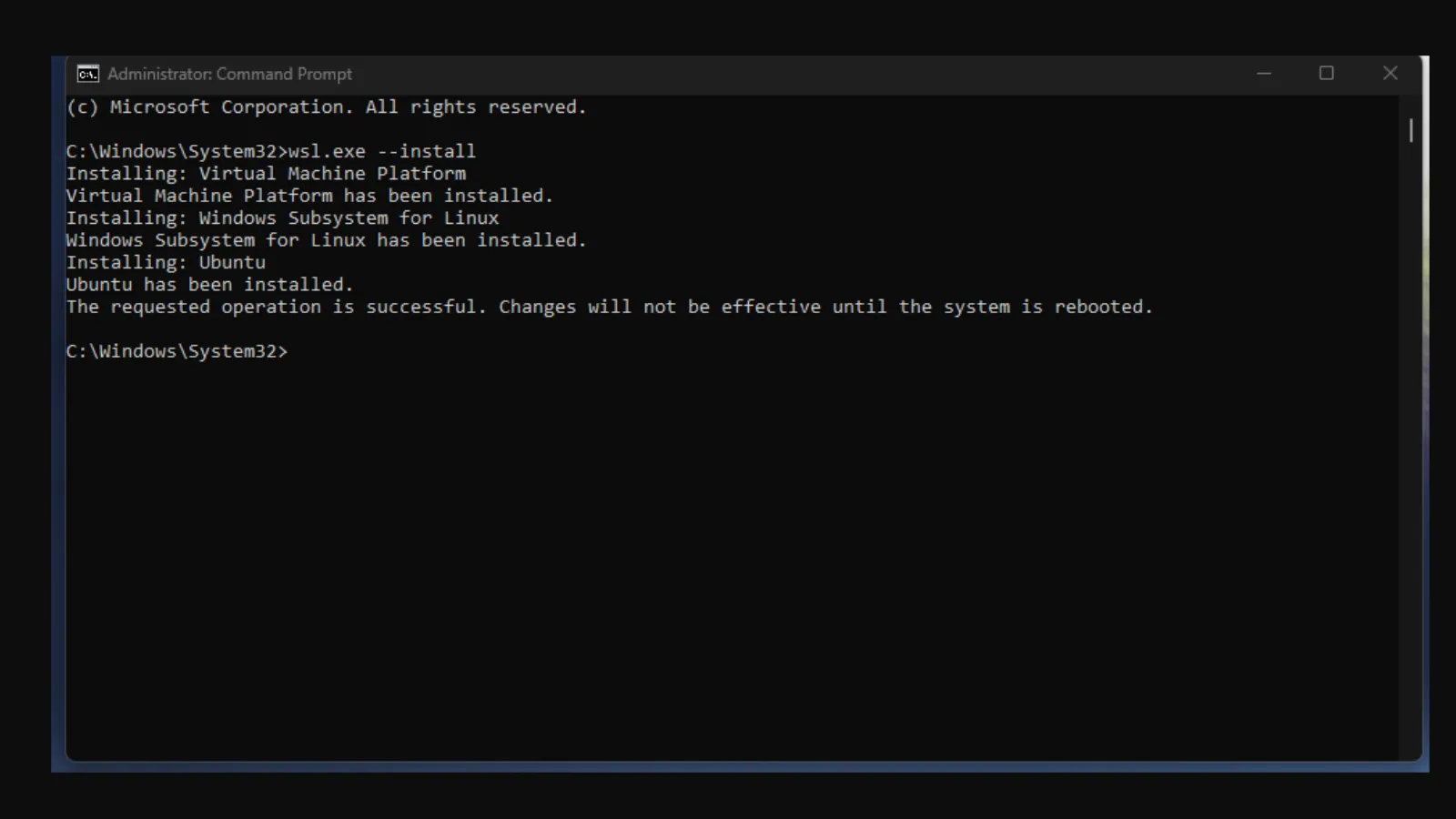
Reboot the PC.

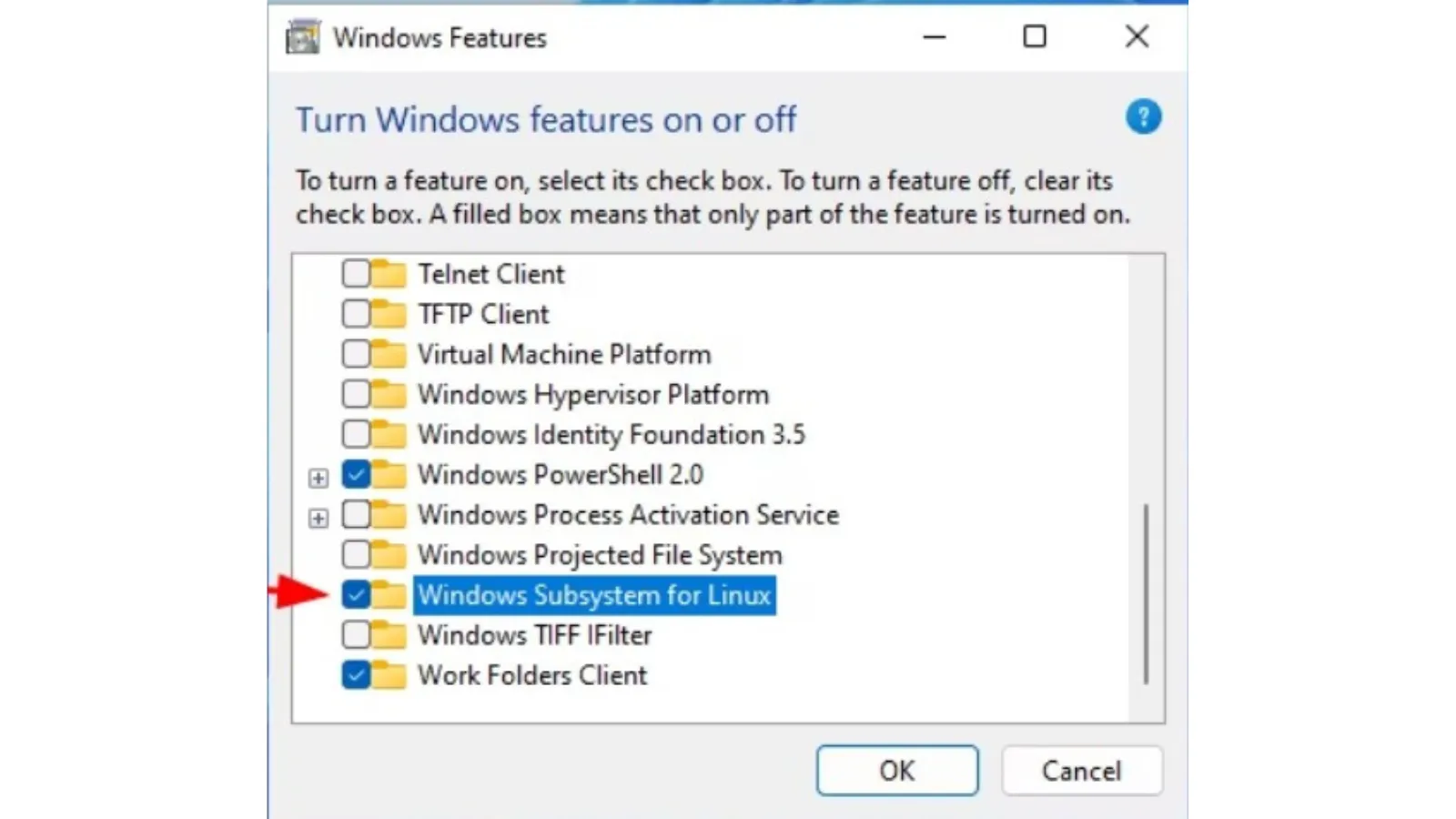
If Windows Subsystem for Linux is not working, go to “Windows Features” in settings and make sure “Windows Subsystem for Linux” is checked.
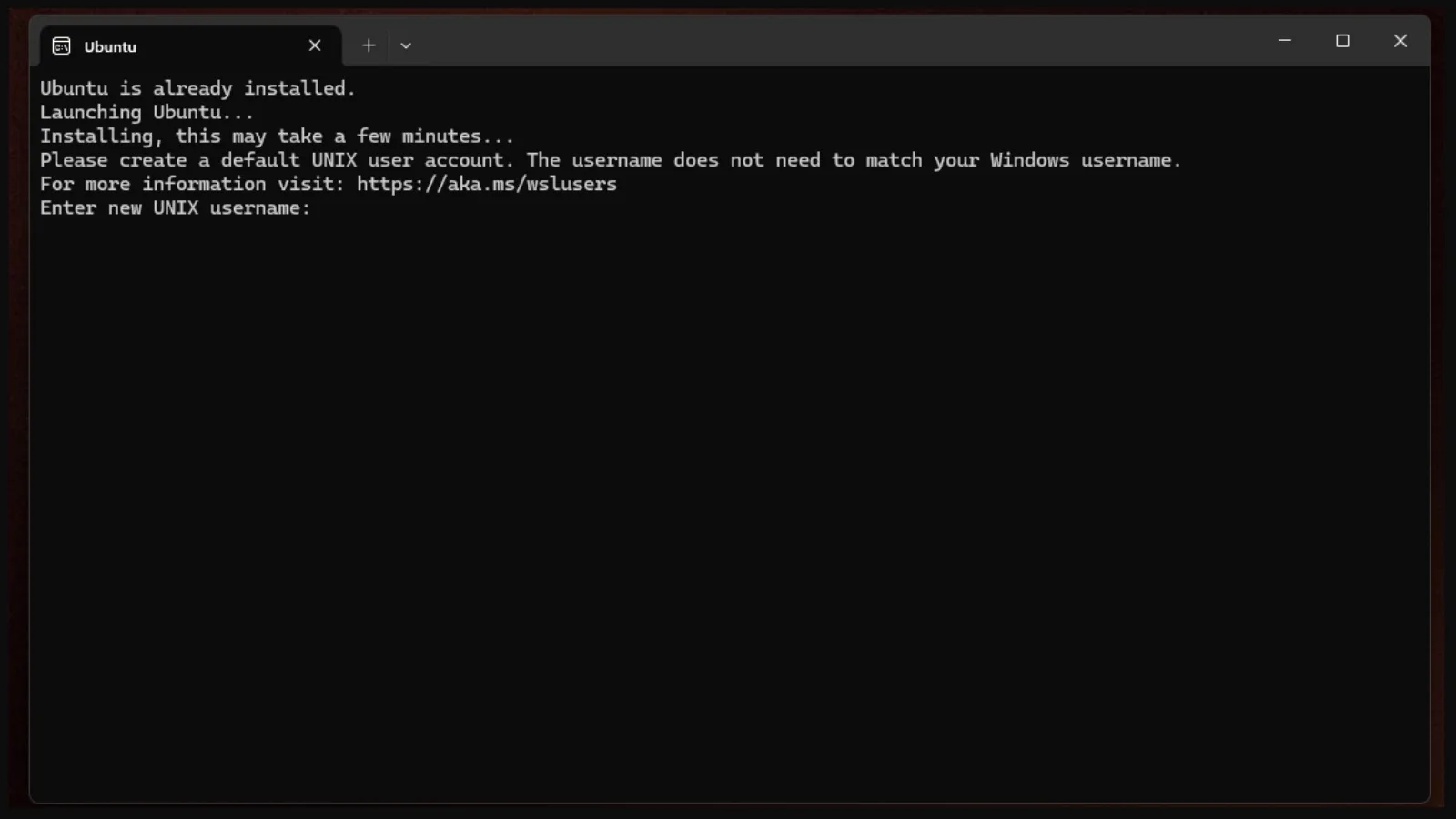
When the computer comes back online, a terminal window with Ubuntu should come up and ask you create login credentials.
Run the update command on Ubuntu with the command “sudo apt update” followed by the upgrade command “sudo apt upgrade.”

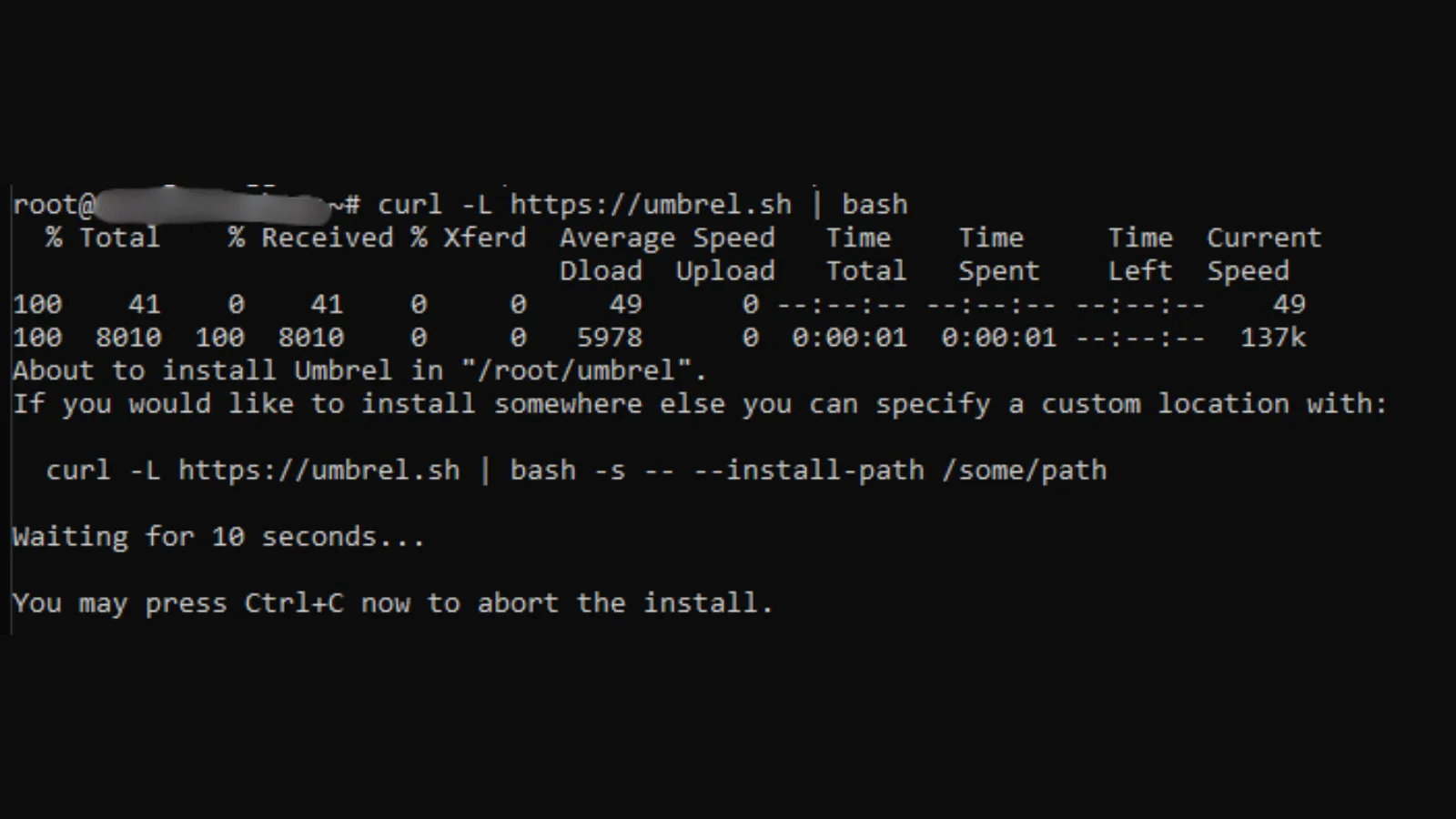
Once Ubuntu is ready, go back to the Umbrel terminal window and enter the prompt: “curl -L https://umbrel.sh | bash” to begin the installation of Umbrel.
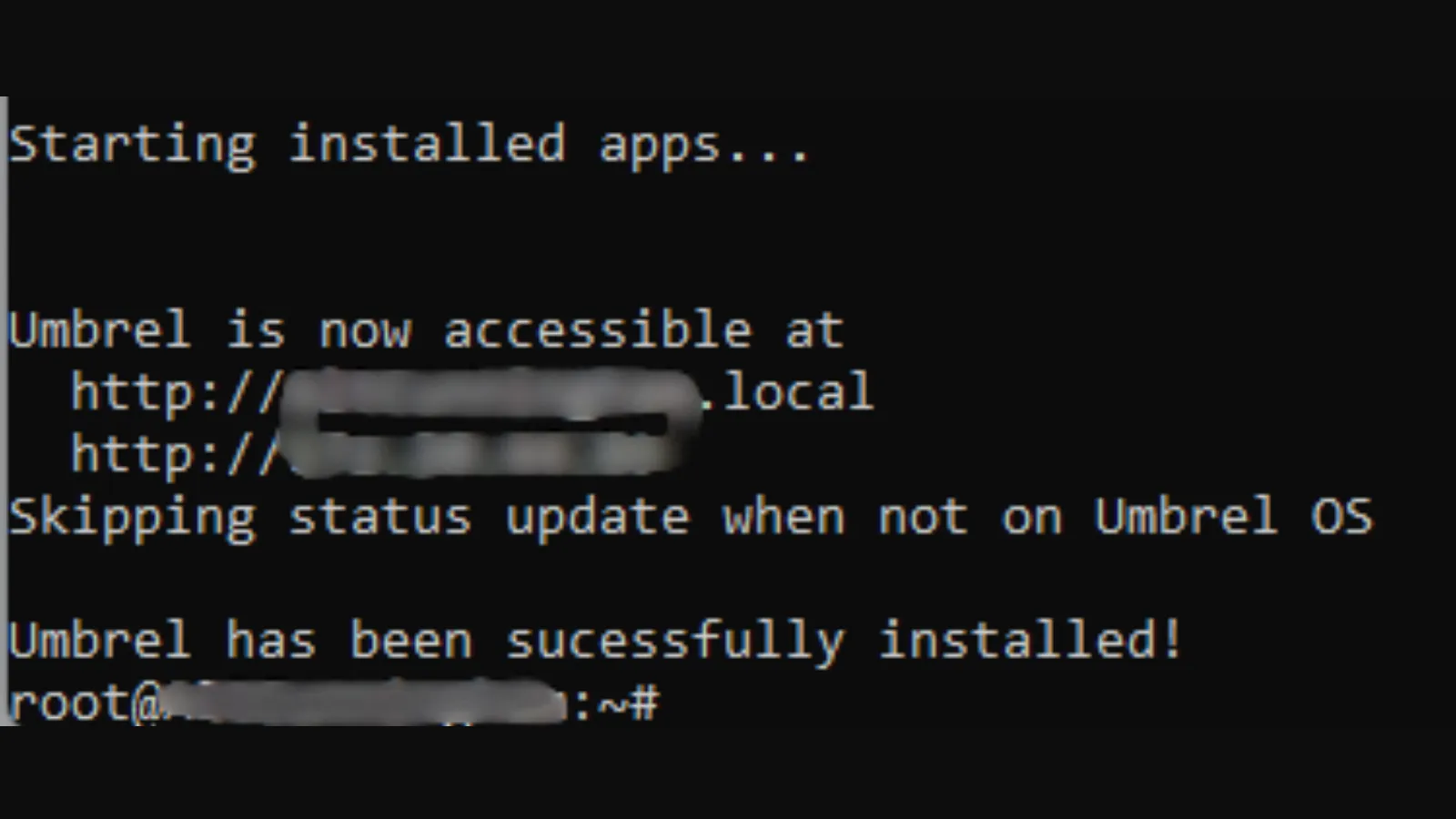
If everything goes as expected, you should see a message that Umbrel was successfully installed and is now accessible at a special local URL.
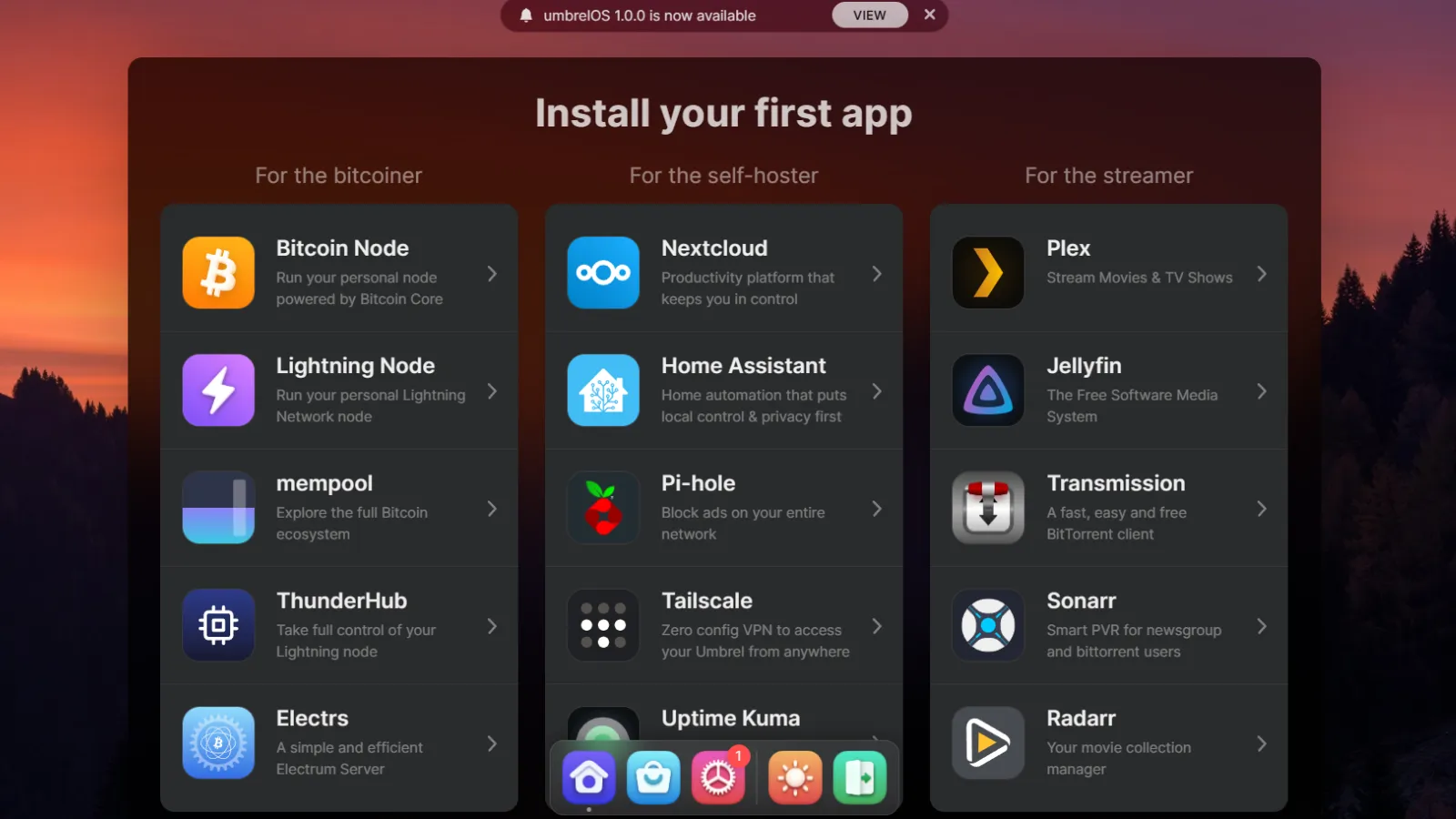
Go to the Umbrel URL provided, and you should see the UmbrelOS desktop screen.

Next, create a name and password for your Umbrel account.

Now it’s time to set up Umbrel and sync the Bitcoin blockchain.

Umbrel comes with several satellite applications that can be added to your Bitcoin experience, including Lightning Nodes, self-hosting features, and streaming.
The first thing you will want to do to begin syncing the Bitcoin blockchain is select Bitcoin Node and install it.
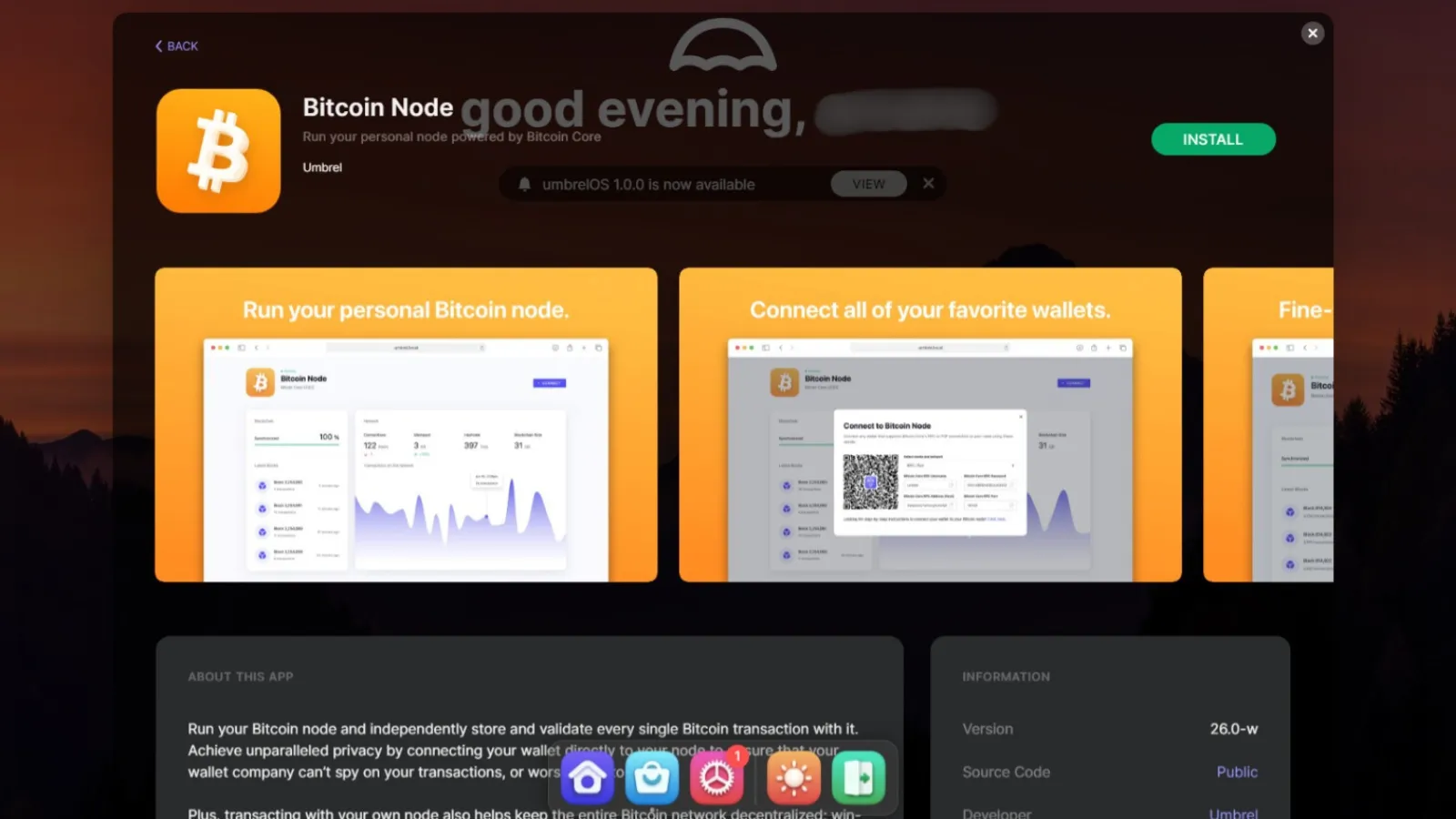
Now, as with Bitcoin Core, it’s time to let the Bitcoin blockchain sync with Umbrel.

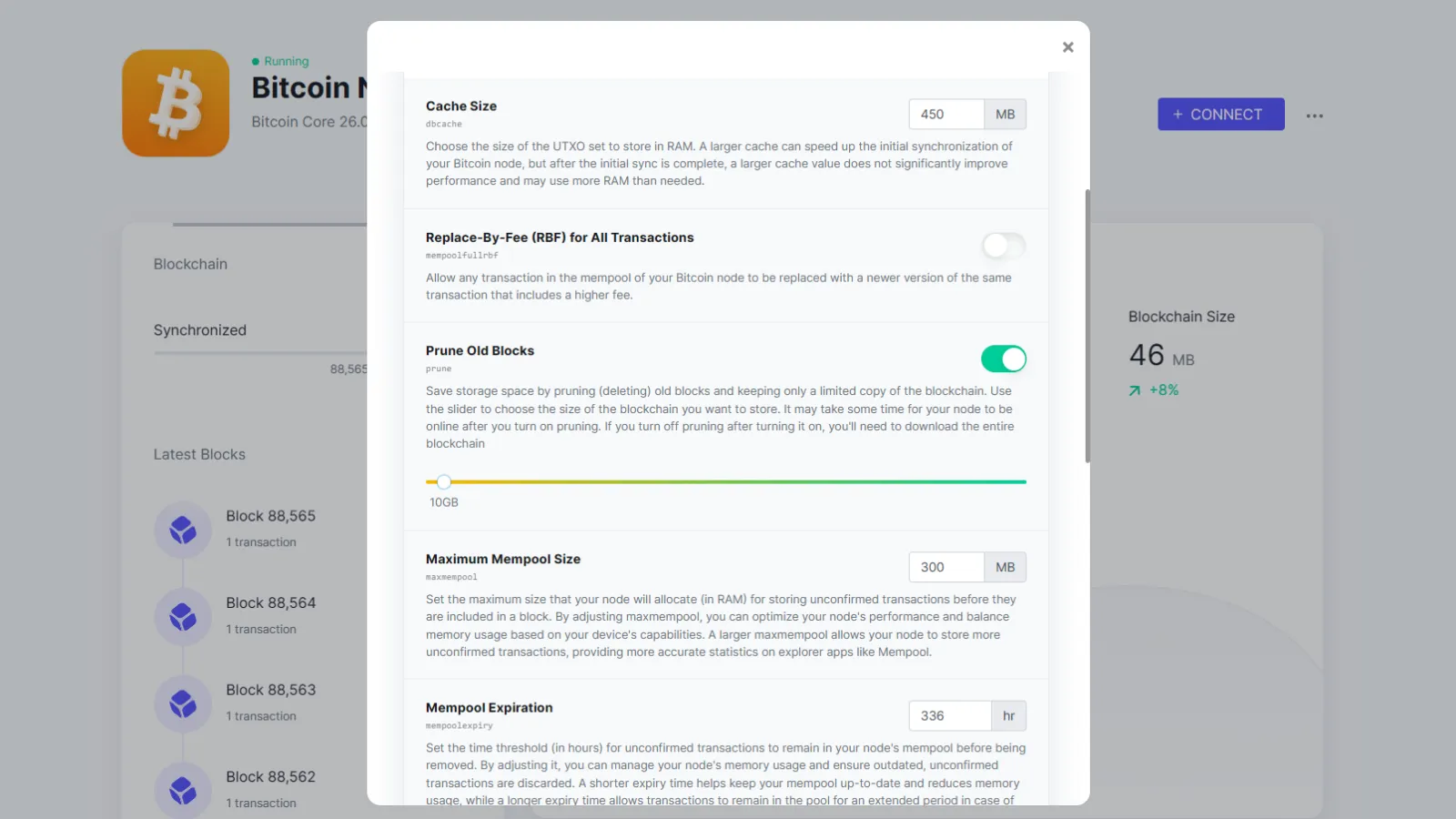
You can change settings to prune old blocks to a desired size once Umbrel has finished the syncing process.
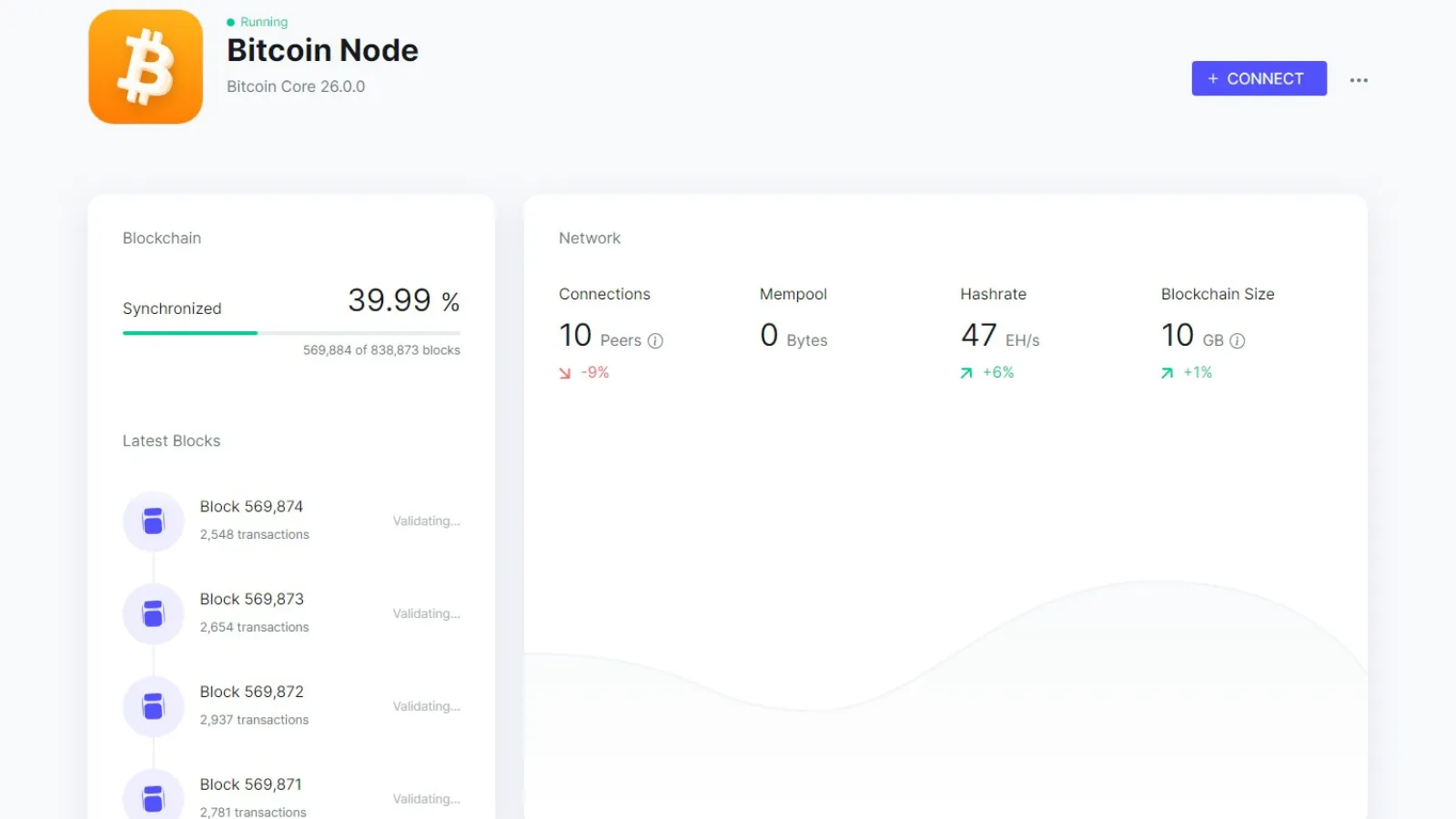
At this point, Umbrel will begin the validation process. You will need to allow this to be completed before adding any additional applications.
Before you start using your Bitcoin node be sure to set a password and any two-factor authentication that is available to you to protect your node and Bitcoin.

When you’re ready to shut down Umbrel, go to the Ubuntu terminal and enter the following prompt: sudo systemctl stop umbrel-startup docker system prune -f. It is advised to use this step to safely power down your node before turning off the PC.

To turn Umbrel back on, including after a system reboot, start Windows’ terminal as a system administrator, change the terminal to Ubuntu and use the following prompt: sudo systemctl start umbrel-startup.

Final tips

Once you’ve completed all these steps, your computer will join the Bitcoin network as one of the nearly 20,000 nodes around the world. While you work and while you sleep, your PC will validate transactions and strengthen the Bitcoin network.

While Umbrel has a more pleasing user interface, Bitcoin Core has a more user-friendly setup. Being able to tell Bitcoin Core exactly where you want to store the Bitcoin blockchain can save you many hours compared to figuring out how to do so in Ubuntu.

For Bitcoiners looking for a pretty face and multiple add-ons, Umbrel is a great choice. For those looking for a simplistic, toned-down experience, stick with Bitcoin Core.

Edited by Ryan Ozawa.

Share. Facebook Twitter Pinterest LinkedIn Tumblr Email
NBTC

Related Posts

Price Breaks All-Time High Record Again – Here’s What We Know

04/08/2025

Bitcoin Switzerland? El Salvador to Host First Fully Native Bitcoin Capital Markets

04/08/2025

Bitcoin Breaks $119K, but XLM and HBAR Aren’t Impressed by Its Meager Percentage Gain

04/08/2025

High-Stakes Consolidation Could Define Q3 Trend

04/08/2025
Add A Comment

Comments are closed.

Top Posts
Get Informed

Subscribe to Updates

Get the latest news from NBTC regarding crypto, blockchains and web3 related topics.

Your source for the serious news. This website is crafted specifically to for crazy and hot cryptonews. Visit our main page for more tons of news.

We're social. Connect with us:

Facebook X (Twitter) LinkedIn RSS
Top Insights

ETH Gains Strength on Breakout Setup

24/04/2026

Backpack moves IPO allocations onchain through new Superstate integration

24/04/2026

Ethereum Gained 16.48% in Last Month and is Predicted to Reach $ 2,661.42 By Apr 27, 2026

24/04/2026
Get Informed

Subscribe to Updates

Get the latest news from NBTC regarding crypto, blockchains and web3 related topics.

Type above and press Enter to search. Press Esc to cancel.